Common Website Mistakes To Avoid: The Biggest Errors That Hurt Your Business Online
Your website is often the first impression potential customers have of your business. A well-designed website can build trust, generate leads, and increase sales. However, even small mistakes can negatively impact user experience, search engine rankings, and conversions.
Many businesses invest time and money into creating a website but unknowingly make critical mistakes that reduce effectiveness. Understanding these common errors can help you build a stronger online presence and avoid losing valuable opportunities.
Whether you run a small business, startup, e-commerce store, or personal brand, avoiding these mistakes can significantly improve your website's performance.
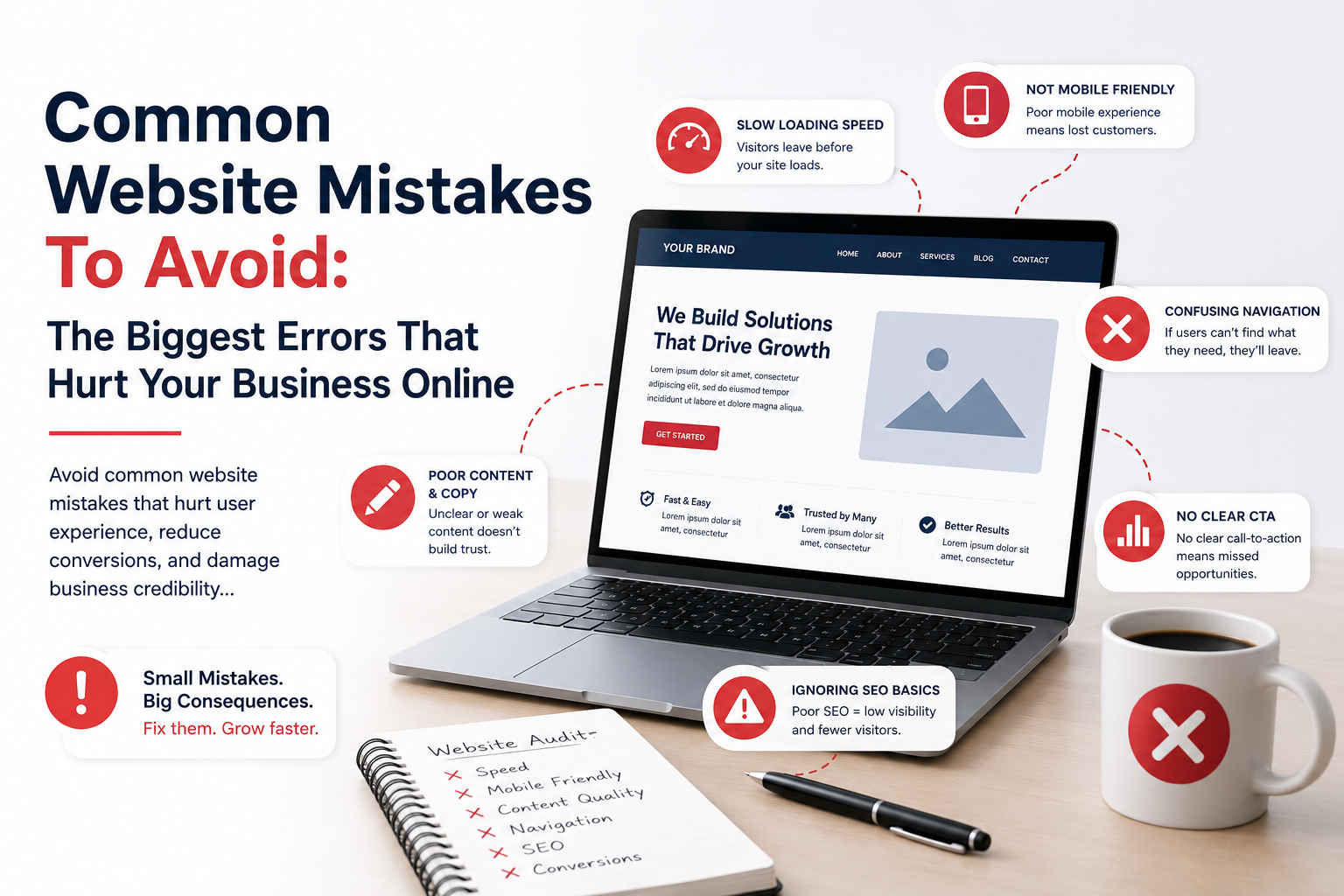
Ignoring Mobile Users
One of the biggest mistakes businesses make is designing primarily for desktop users while neglecting mobile visitors.
Today, most website traffic comes from smartphones and tablets.
Common mobile issues include:
- Text that is too small
- Buttons that are difficult to tap
- Slow loading pages
- Poor navigation
- Broken layouts
A mobile-friendly website is no longer optional. It is essential for user experience and SEO.
Slow Website Speed
Visitors expect websites to load quickly.
Even a few seconds of delay can increase bounce rates and reduce conversions.
Common causes of slow websites include:
- Large images
- Poor hosting
- Too many plugins
- Unoptimized code
- Excessive scripts
Website speed directly affects customer satisfaction and search engine rankings.
Poor Navigation Structure
Visitors should easily find the information they need.
Complicated menus and confusing navigation create frustration.
Good navigation should be:
- Simple
- Logical
- Consistent
- Easy to understand
If users struggle to navigate your website, they may leave and visit a competitor instead.
Weak Calls-To-Action
Many websites fail because they do not clearly tell visitors what to do next.
Effective calls-to-action include:
- Get Started
- Request A Quote
- Book A Consultation
- Contact Us
- Shop Now
Every important page should guide visitors toward a specific action.
Cluttered Design
Trying to place too much information on a single page often overwhelms visitors.
Common clutter issues include:
- Too many colors
- Too many fonts
- Excessive animations
- Large blocks of text
- Too many competing elements
Clean, organized designs generally perform better.
Not Having Clear Messaging
Visitors should immediately understand:
- Who you are
- What you offer
- Who you help
- Why they should choose you
If visitors are confused within the first few seconds, they may leave without exploring further.
Ignoring Search Engine Optimization
A beautiful website is ineffective if nobody can find it.
Common SEO mistakes include:
- Missing keywords
- Poor page structure
- Duplicate content
- Missing meta descriptions
- Slow page speed
SEO helps your website appear in search results and attract organic traffic.
Using Low-Quality Images
Visuals strongly influence first impressions.
Low-quality images can make a business appear unprofessional.
Use images that are:
- High resolution
- Relevant
- Professional
- Optimized for web performance
Quality visuals help strengthen credibility.
Not Displaying Contact Information Clearly
Visitors should never struggle to find your contact details.
Important information should include:
- Phone number
- Email address
- Business location
- Contact form
- Business hours
Easy access to contact information improves trust and lead generation.
Too Many Popups
Popups can be effective when used carefully, but excessive popups frustrate users.
Common problems include:
- Interrupting content
- Blocking navigation
- Creating poor mobile experiences
Use popups strategically rather than aggressively.
Not Building Trust
Trust is one of the most important factors in online success.
Many websites fail to include trust-building elements such as:
- Customer reviews
- Testimonials
- Case studies
- Certifications
- Professional branding
Trust signals help visitors feel confident about doing business with you.
Using Outdated Design
An outdated website can make your business appear outdated as well.
Signs of outdated design include:
- Old layouts
- Poor mobile responsiveness
- Low-quality visuals
- Outdated typography
- Broken features
Modern design improves both credibility and user experience.
Ignoring Website Security
Security should be a priority for every website.
Common security mistakes include:
- Weak passwords
- Outdated software
- No SSL certificate
- Missing backups
- Poor hosting security
A security breach can damage customer trust and business reputation.
Not Updating Content
Outdated content can make visitors question whether your business is active.
Regularly update:
- Service information
- Pricing
- Blog articles
- Team information
- Portfolio projects
Fresh content improves both user experience and SEO.
Ignoring Analytics
Many businesses never analyze website performance.
Analytics can reveal:
- Visitor behavior
- Traffic sources
- Popular pages
- Conversion rates
- User engagement
Data helps identify opportunities for improvement.
Creating Long And Complicated Forms
Visitors are less likely to complete forms that require excessive information.
Ask only for necessary details.
Simpler forms often generate more leads and improve user satisfaction.
Poor Content Formatting
Large blocks of text are difficult to read online.
Improve readability with:
- Headings
- Subheadings
- Bullet points
- Short paragraphs
- Visual spacing
Well-structured content improves engagement.
Not Optimizing For Conversions
Many websites attract traffic but fail to convert visitors into customers.
Conversion optimization involves:
- Clear calls-to-action
- Strong messaging
- Trust signals
- Simple navigation
- User-focused design
Every page should support a business objective.
Using Too Many Plugins
While plugins add functionality, excessive use can create problems.
Potential issues include:
- Slower performance
- Security vulnerabilities
- Compatibility conflicts
- Maintenance challenges
Only install plugins that provide real value.
Neglecting Accessibility
Accessibility ensures all users can effectively interact with your website.
Common accessibility improvements include:
- Readable fonts
- Color contrast
- Alternative image text
- Keyboard navigation
- Accessible forms
Accessible websites provide better experiences for everyone.
Having No Clear Business Goal
Some websites are created without a specific purpose.
Before designing a website, define your goals.
Examples include:
- Generate leads
- Increase sales
- Build brand awareness
- Book appointments
- Provide customer support
Every design decision should support these objectives.
Trying To Copy Competitors
Learning from competitors is valuable, but copying them exactly is a mistake.
Your website should highlight your unique strengths, expertise, and brand identity.
Authenticity helps businesses stand out in crowded markets.
Failing To Test Regularly
Websites require ongoing testing and maintenance.
Regularly check:
- Forms
- Links
- Mobile performance
- Page speed
- User experience
Small issues can become major problems if ignored.
Avoiding Mistakes Leads To Better Results
A successful website is not simply about attractive design. It must provide a great user experience, communicate clearly, perform well, build trust, and support business goals.
By avoiding common mistakes such as poor navigation, slow performance, weak SEO, outdated design, security vulnerabilities, and confusing messaging, businesses can create websites that attract visitors and convert them into loyal customers.
Need help improving your website? Luckson Denis creates professional, mobile-friendly, SEO-optimized websites designed to avoid costly mistakes, improve user experience, increase conversions, and help businesses grow online.